AI crawler log analyzer
This AI crawler log analyzer reads your server access log and reports which AI bots fetched your pages, how often, and which pages they took. It also finds people who arrived from an AI answer. Your browser reads the file and never uploads it, so nothing leaves your machine.
By The Promptscope team (Product and testing). Last updated .
Drop your access log here
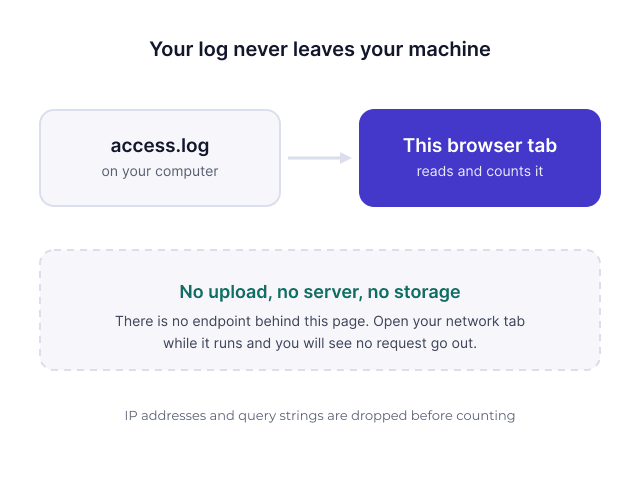
Or choose a file. Nothing is uploaded: the file is read in this browser tab and never sent anywhere. You can check that in your network tab.
How to analyze your log for AI crawlers, step by step
- Download an access log from your server, usually access.log on Nginx or Apache, or an export from Cloudflare.
- Then drop the file onto the box above, or choose it from disk.
- Wait while your browser reads it. We receive nothing, so even a large file stays on your machine.
- Finally, read which bots came, which pages they took, and whether any request failed.
The first 3 runs each day are free. After that, see the pricing page for packs and plans, or read how we test the tool.
Why an AI crawler log analyzer beats any estimate
Every other measure in this market is a sample. A prompt test asks a model some questions and counts the answers, which tells you about those questions and nothing else. Your log is different, because it records what actually happened on your own server.
So the log answers a narrower question, but answers it exactly. GPTBot either fetched your pricing page on Tuesday or it did not. There is no inference, no estimate and no sampling error in that.
What the AI crawler log analyzer looks for
First, the named crawlers: GPTBot, OAI-SearchBot and ChatGPT-User for OpenAI, ClaudeBot and Claude-SearchBot for Anthropic, PerplexityBot, Google-Extended, Applebot-Extended, and several more including Bytespider, Amazonbot and CCBot.
Second, referrers. When a person clicks a link inside an AI answer, their visit usually carries a referrer such as chatgpt.com or perplexity.ai. We count those separately, because a crawler fetching a page and a human reading it are different events. The agents ending in User matter most here, since they only appear when someone followed a link.
Nothing is uploaded, and you can check that
An access log holds full IP addresses, referrers and sometimes tokens sitting in query strings. Sending one to a third party is a real privacy decision, and in most companies the security team would refuse it.
Therefore this tool does not ask for it. Your browser reads the file, counts what it finds and draws the report. Open your network tab while it runs and you will see no request go out. We also drop query strings before counting, so a token in a URL never reaches even the report on your screen.
What an AI crawler log analyzer cannot tell you
An AI crawler log analyzer cannot tell you which questions people asked. No engine publishes them, and a log records the visit rather than the conversation behind it. Anyone who sells you real user prompts is inferring them.
It also cannot prove a sale. A referrer shows a visit, not a decision. Treat these numbers as a leading indicator, and read them next to the readiness report, because a crawler that never appears in your log may be blocked rather than uninterested.
What each line of a log can tell you
| Signal | What it means |
|---|---|
| GPTBot, ClaudeBot, PerplexityBot | the crawler took the page for its index or training |
| ChatGPT-User, Claude-User, Perplexity-User | someone followed a link from a conversation |
| Referrer chatgpt.com or perplexity.ai | a real visit that came out of an AI answer |
| A 4xx answer to a crawler | it asked and did not get the page, which is worth fixing |
| A bot that never appears | something blocks it, or it has not found the site yet |
| Pages taken most often | what the engines treat as the useful part of your site |
AI crawler log analyzer FAQ
Is my log file uploaded anywhere?
No. There is no upload endpoint behind this page. Your browser opens the file, counts what is in it and renders the report locally. You can confirm it by opening your network tab before you drop the file in.
Which log formats does the AI crawler log analyzer read?
The combined format that Apache and Nginx write by default, and JSON lines as Cloudflare and several hosts emit. It counts the lines it cannot read and tells you the number, rather than dropping them quietly.
How big a file can it handle?
It reads the file in slices rather than loading it whole, so a few hundred megabytes is fine on a normal laptop. It stays responsive while it works, and a bigger file simply takes longer.
No AI crawler appears in my log. What does that mean?
Usually one of two things. Either your robots.txt or a firewall rule turns them away before your server records anything, or the site is new enough that they have not come yet. Run the readiness check first, because a blocked crawler explains an empty log immediately.
Can I see which prompts led people to my site?
No, and no tool can. The engines do not publish the questions, and your server only records the visit. What you can see is which pages get fetched and which get clicked through, which is the useful half of the question.